

Skip to content

Co-parenting for separated parents in the US

Less to chase. More life to live.

One place for parenting dates, shared costs, conversations and your child’s care. Know what’s coming up and keep the other household in the loop.

Free account creation. Paid family subscription; check trial eligibility at checkout.

A child drawing with their mother and grandmother at home.
Two homes. One shared place for the everyday details.

How it works

A little setup. A clearer day.

  1. Step 1: Make it yours

    Add your children and family details. Enter your arrangements yourself or review details extracted from your order.

  2. Step 2: Bring your day together

    Add parenting dates, expenses and care routines. Today brings your upcoming items into one place.

  3. Step 3: Connect your circle

    Invite the other parent or a trusted helper, with access suited to their role.

  4. Step 4: Keep everyone informed

    Share updates, record what happened and choose what to include in a report.

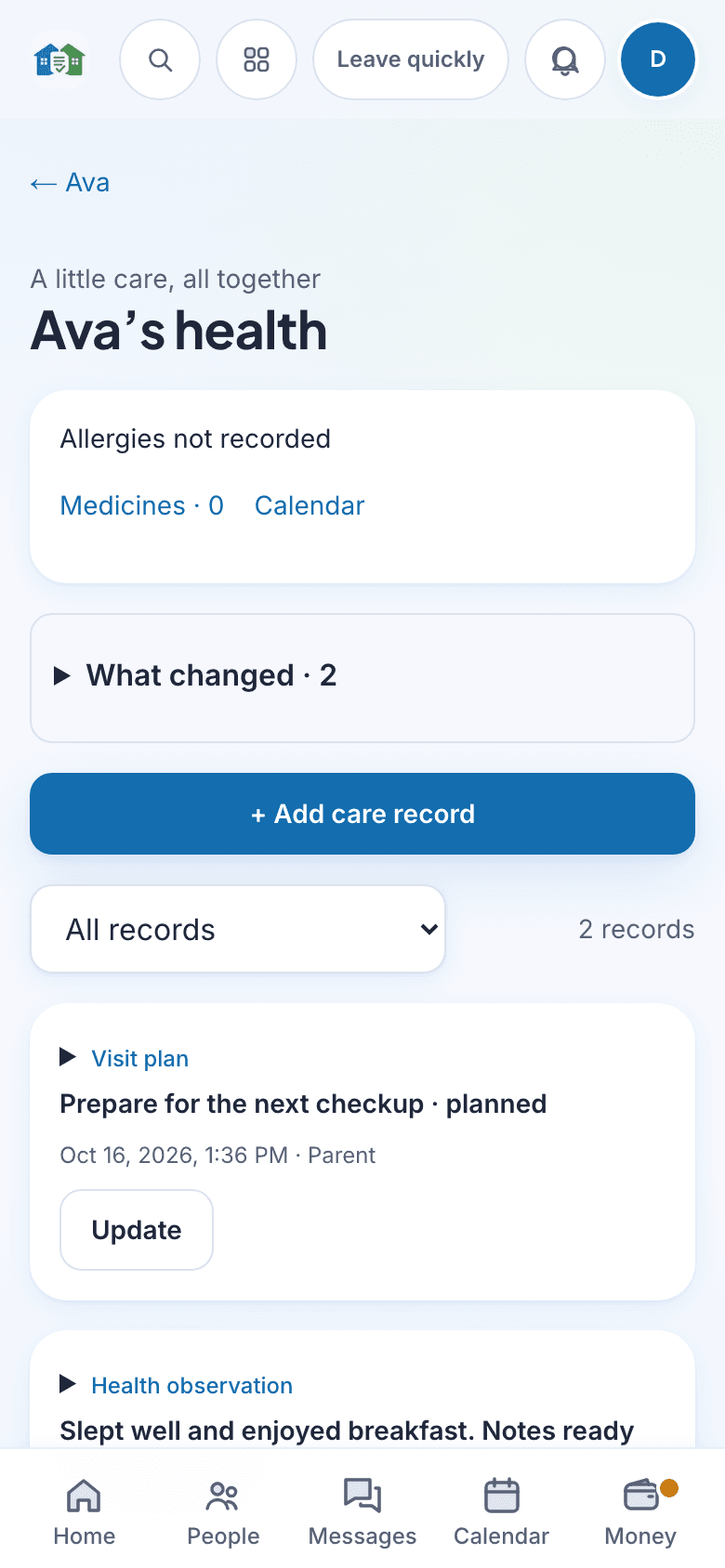
Children’s care in Venns, showing fictional family data.
Current web app · fictional family data.

Children’s care

Care that travels between homes

Keep saved medicine instructions, reported doses and everyday health notes together.

  • Record observations and prepare questions for a visit
  • Track supplies by household and acknowledge packed handoffs
  • Review the records you want in a printable visit summary

Care records are entered by your family. Venns does not connect to a hospital record or recommend treatment.

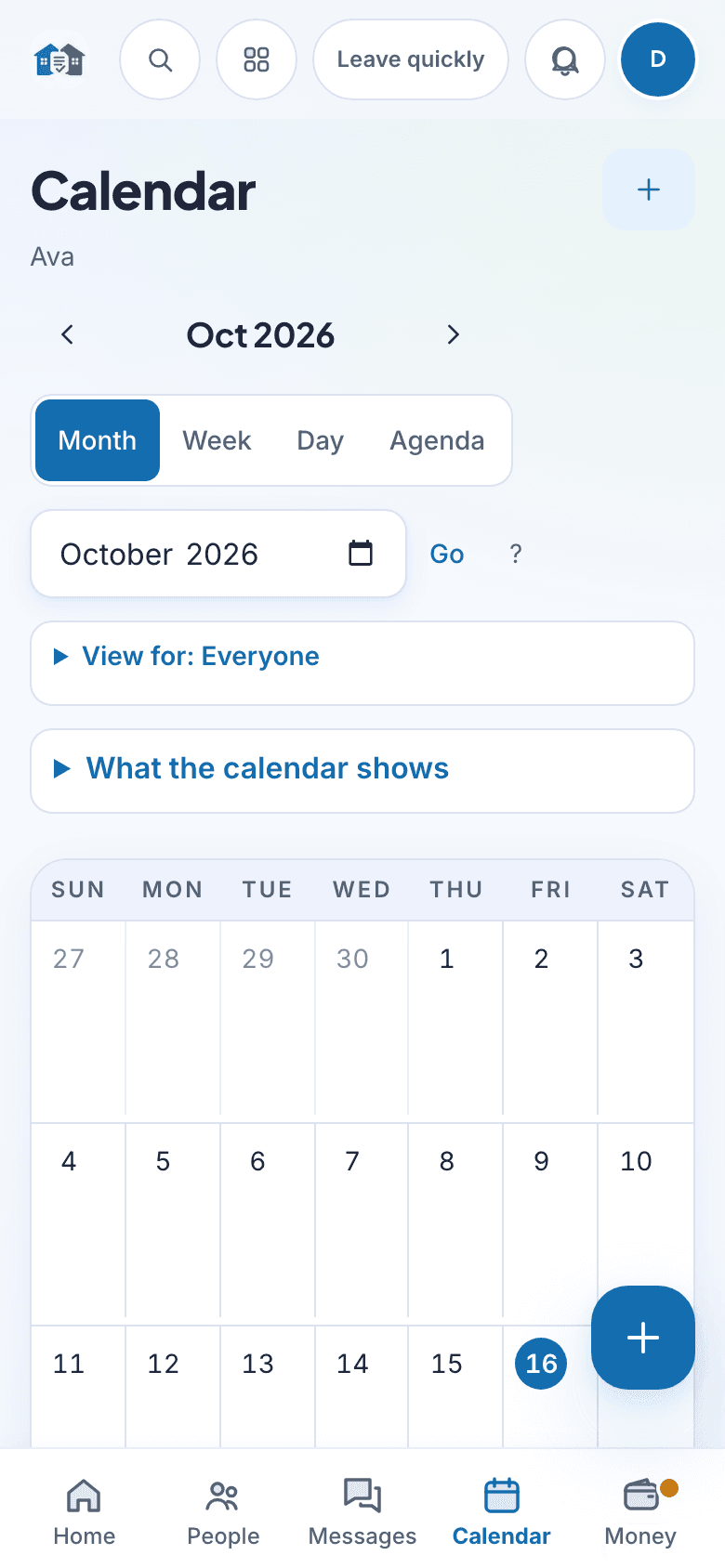
Family calendar in Venns, showing fictional family data.
Current web app · fictional family data.

Family calendar

See the whole month together

Make room for parenting time, appointments and the everyday plans in between.

  • A full month view with event details a tap away
  • Keep handoffs and shared dates visible
  • Manage changes and reminders alongside your family records
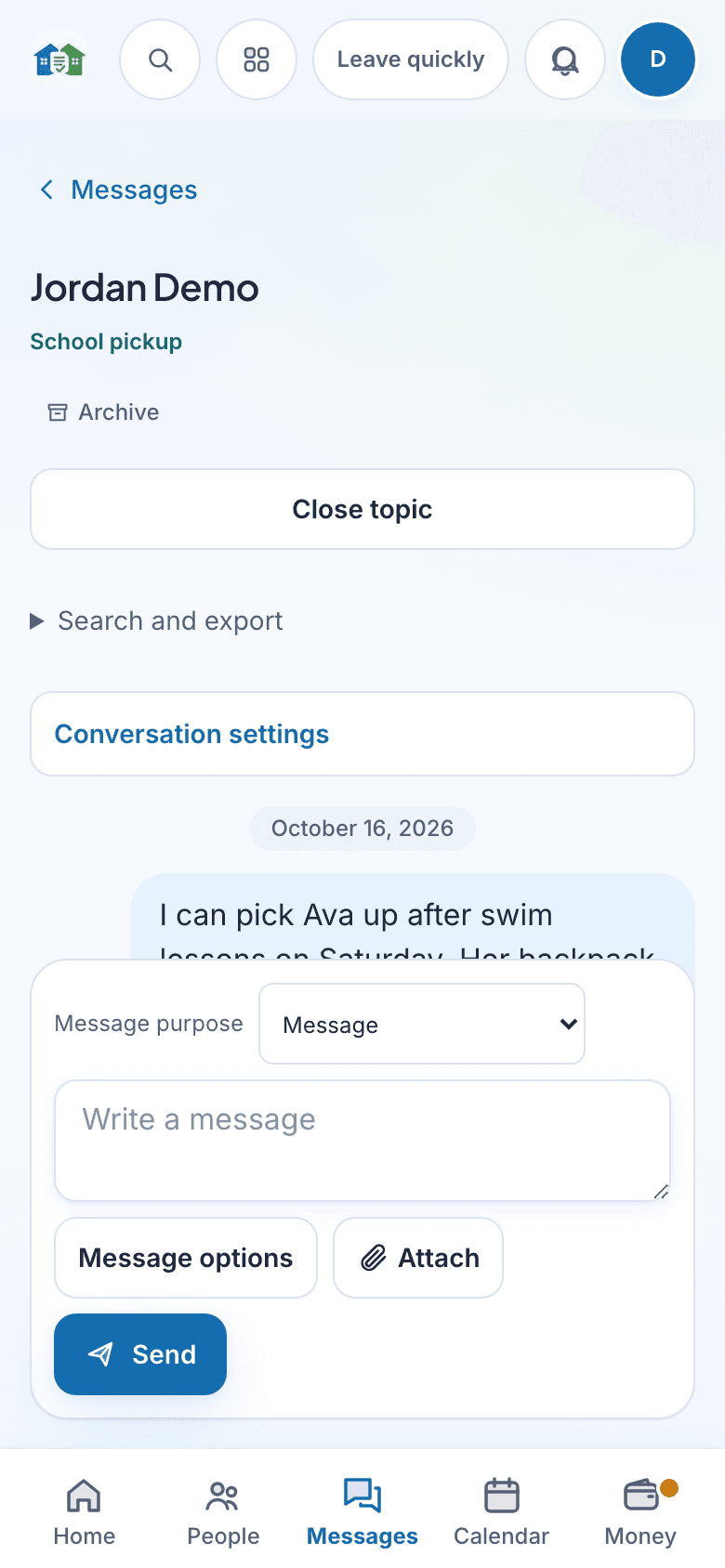
Conversations in Venns, showing fictional family data.
Current web app · fictional family data.

Conversations

The right details, in the right conversation

Organize conversations by topic and mention the person who needs to see an update.

  • Reply to a particular message for context
  • Voice and video calls from the conversation
  • Optional tone help when finding the words is hard
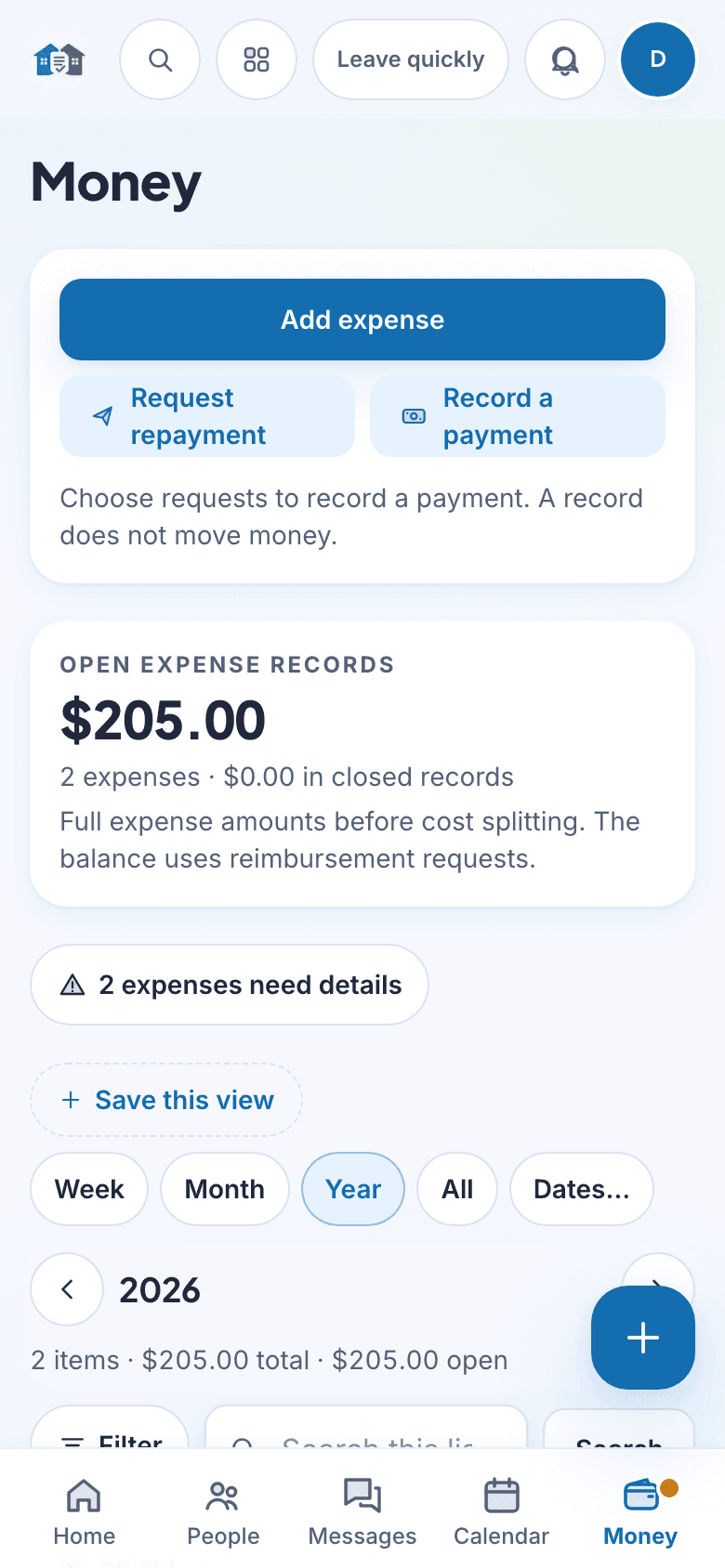
Shared costs in Venns, showing fictional family data.
Current web app · fictional family data.

Shared costs

Know where the balance stands

Keep receipts, agreed splits and reimbursement requests in one place.

  • See what is owed, paid or in dispute
  • Send a request the other parent can open in a browser
  • Export selected records as PDF, Word or Excel

Recorded payments and payment instructions do not move money between parents.

Ready when you need it

Choose the details. Take them with you.

Create a report for a co-parent, caretaker or professional, with the information you choose.

PDF, Excel or Word

From Money or Timeline, filter the dates, child and record types you need. Choose a supported format, then download your report.

Use Excel for rows and totals, PDF for a readable copy, or Word for a document you can annotate. Available formats depend on the report; custom reports use Excel.

One child’s medication details

Open the child’s profile and choose the medication sheet. Select the saved medicines, allergies and emergency contacts to include, review them, and create a PDF.

Share through your phone’s share menu, or download and print on the web. The sheet includes saved instructions, reported dose information and a blank dose log.

A shared PDF is a copy of the selected records at the time it is created. It does not update automatically. Check the current pharmacy label and care plan before giving medicine.

Family records

Care and costs, in one clear record

Review the facts in the app, then choose the report that fits the conversation with a co-parent, caretaker or professional.

Ready for the next visit

Save questions, record instructions and turn reviewed follow-ups into shared tasks.

Ready for the next handoff

Keep household supply counts and a packing list. The recipient can confirm what arrived.

Share what matters

Choose records for a visit summary or medication sheet, then review before sharing.

Medication entries are parent reports. No report recorded does not prove a missed dose. The medication sheet copies saved details; it never calculates or changes a dose. Always check the current pharmacy label and care plan.

Trust

Safety and trust, in the details

  • A verification page anyone can use

    Each export carries a verification link, and each record in a court package a 16-character code. Anyone can check them; no account needed.

  • You control who sees what

    Give trusted helpers access to the information they need. Private notes stay separate from shared family records.

  • One price per family

    $6.99 a month or $59.00 a year. Never a percentage of money you recover.

16 characters, printed next to each record in a court package.

Questions

Does the other parent have to sign up or pay?

No. They answer each request from a link in their browser. The price is per family, paid by one parent, and the other parent’s access is included.

Is this legal advice?

No. The app shows what your order says, where each date comes from, and what was sent and when. It does not tell you what to do in your case.

My state is not Texas, California or Florida. Does it work?

Yes. Deadlines come from your own order. Where your order is silent, the app asks you rather than borrowing another state's rule.

Can I bring records from another app or a spreadsheet?

Yes. Other apps' PDF or text message histories, WhatsApp and text backups, emails, screenshots and spreadsheets come in as drafts you check before they join the record.

What does tamper-evident mean here?

Each record has a SHA-256 fingerprint linked to the one before it. Edits make a new version, and anyone with an export link or a record code can check it on the verification page.

Can I share a child's medication information with a caretaker?

Yes. From the child profile, review and select the medicines, allergies and contacts to include in a printable PDF. The sheet shows the parent-recorded dose and instructions, the last reported dose and next saved reminder. Check the current pharmacy label and care plan before giving medicine.

Keep the details clear. Make more room for family.

Sign up to organize your family record, or explore the app download options. Your order, receipts, and conversations belong together.

Sign up